Chute

Mac · iPhone · iPad · Apple Watch

Copy on your Mac. It’s already on your iPhone.

Chute keeps everything you copy, helps you file what’s worth keeping, and finds all of it with one search.

Get Chute on the App Store

One purchase, no subscription: Mac App Store · iPhone and iPad

On the Mac it is a whole notes library ↓

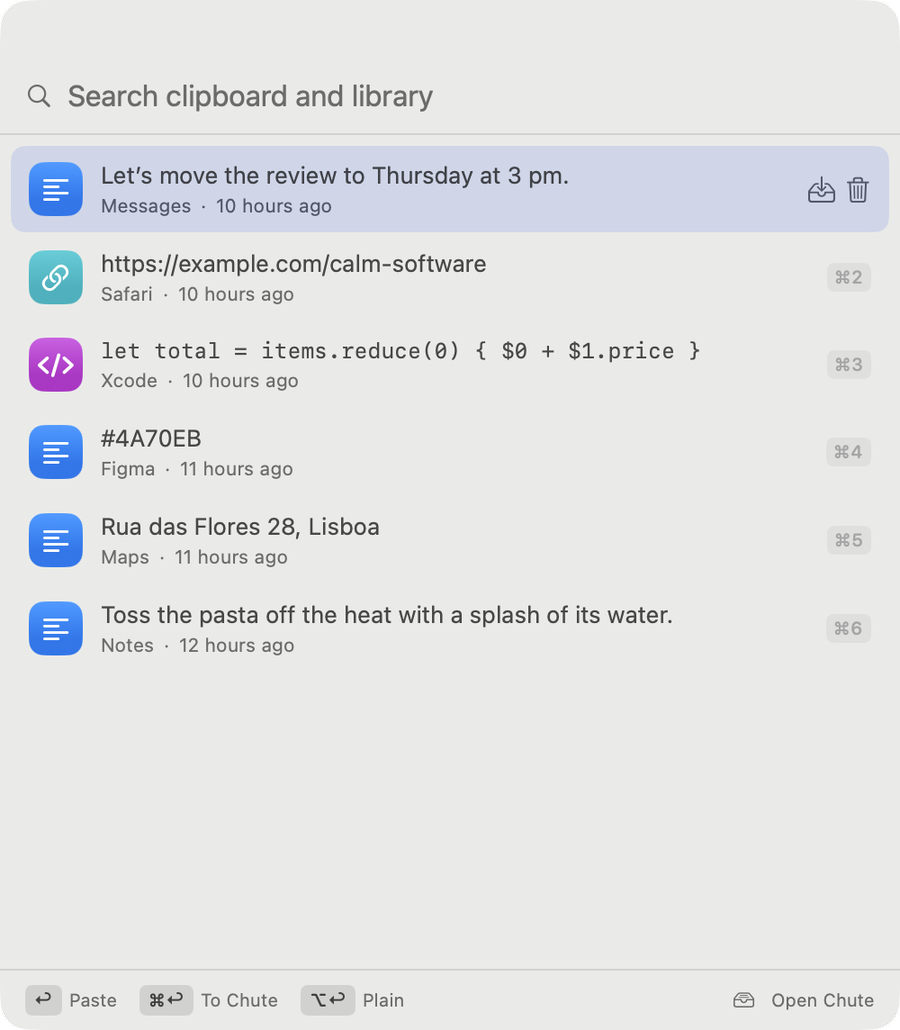
Your clipboard, everywhere

Nothing you copy is lost.

  • Everything you copy on your Mac is kept: text, links, pictures, files. ⌘⇧V brings it back, Return pastes.
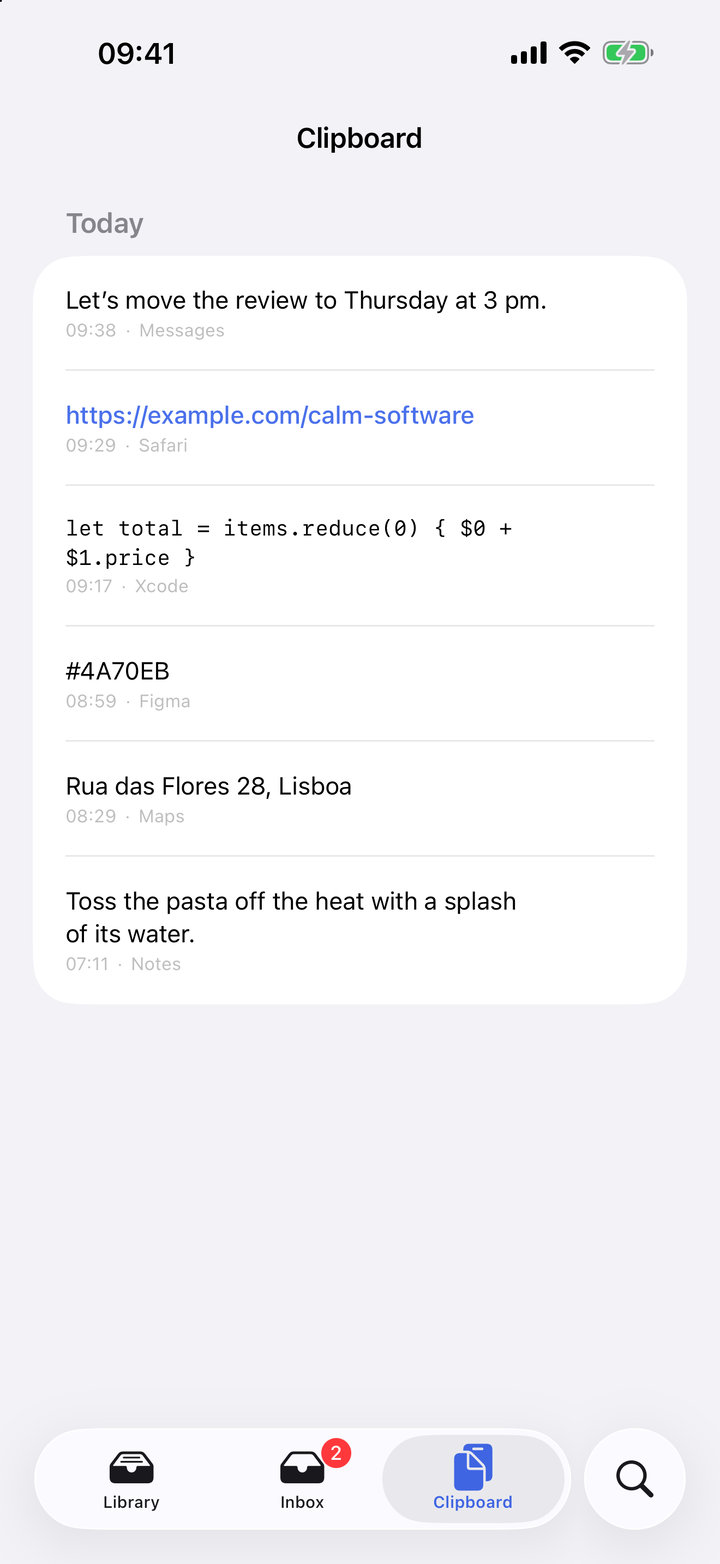
  • On your iPhone and iPad within seconds. On the same Wi-Fi your devices talk directly, encrypted with a key only they share.
  • Secrets stay secret. Anything a password manager marks as secret is never recorded.
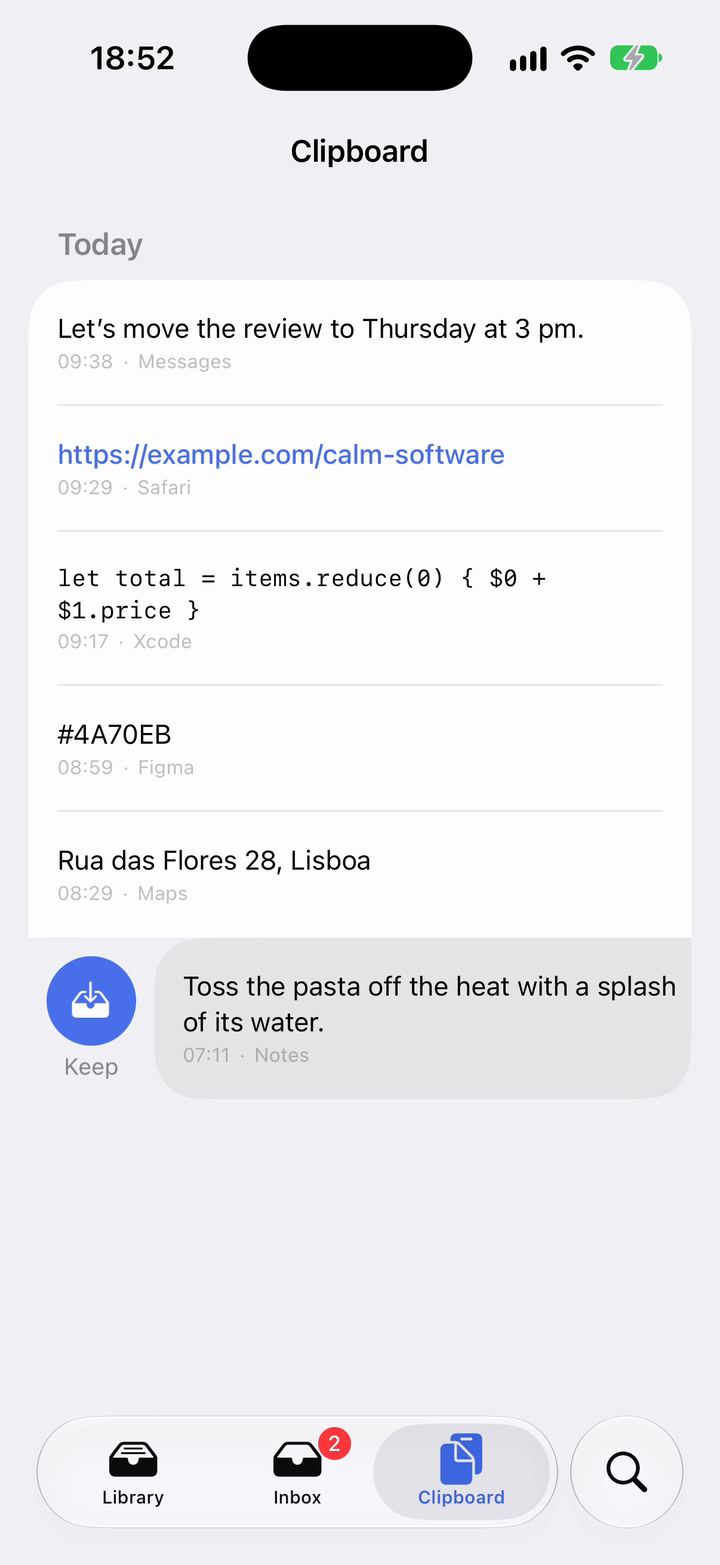
The Clipboard on iPhone, one copy drawn aside to keep it

One swipe

Keep it. Chute suggests where it goes.

Swipe a copy and it lands in your Inbox. Chute suggests a folder, worked out on your device; one tap files it, or leave it loose.

A kept note with the offer: Goes to Recipes?

One search

Find it again, even if you never saved it.

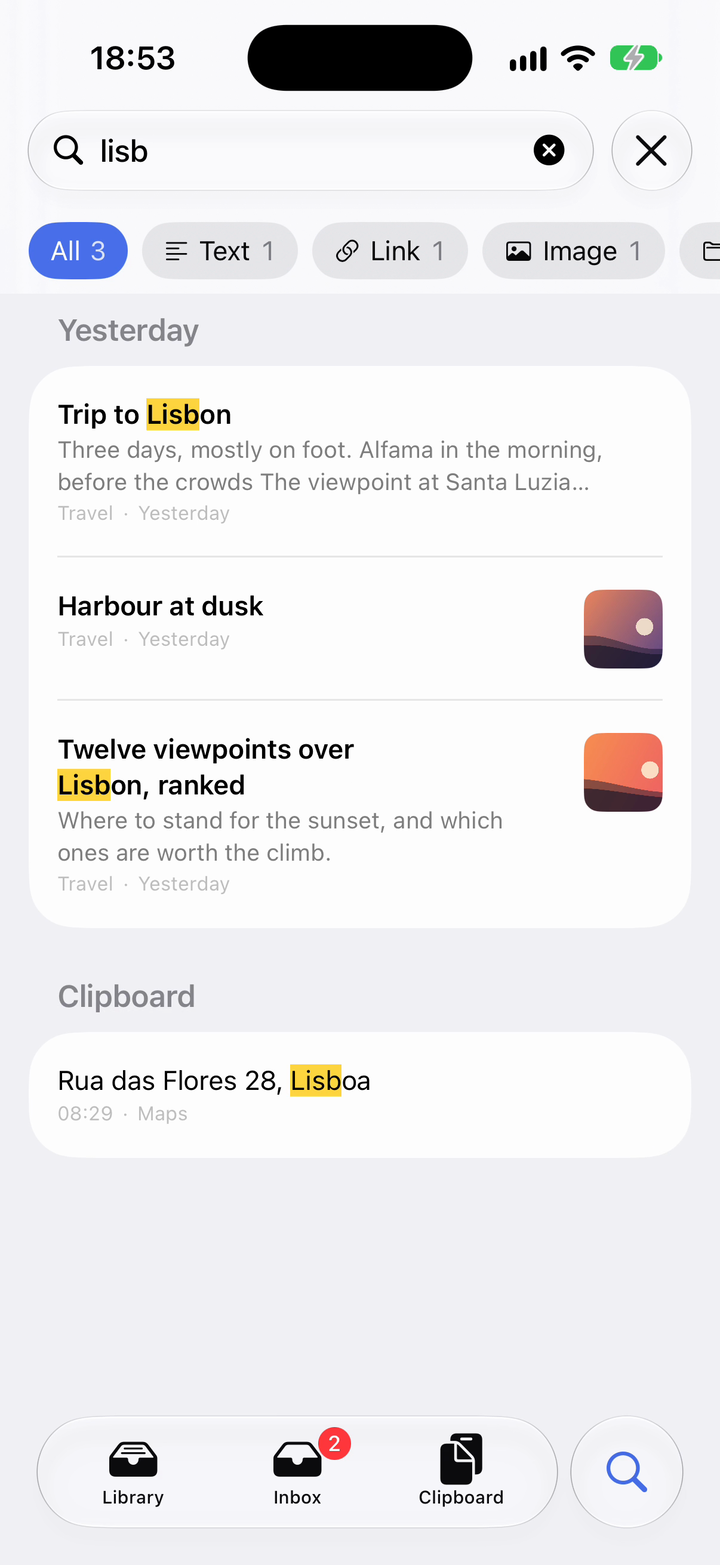
One search over your notes, links, pictures and files, in any form of a word. What you only copied is in the same list.

Search results: three kept things and one copy

On the Mac

Behind the clipboard, a whole library.

Notes, links, pictures and files in folders you shape yourself. Written like a page, linked to one another, and kept on your Mac: there without a connection, yours without an account.

Get Chute on the Mac App StoreThe same purchase covers iPhone and iPad.

Chute on the Mac: folders and tags on the left, the list of notes, and a checklist open with the notes that link to it

Notes that write like notes

Checklists, lists and headings continue themselves; Tab nests. Markdown reads like a page, its marks out of sight until you write in the line.

Linked thoughts

Type [[ to link one note to another. Every note shows what links to it, where it is mentioned, and what is like it. Back and Forward retrace your steps.

Folders inside folders

And tags, and Pinned. Drag a note onto any of them, or a file from the Finder straight into a folder.

A thought, from anywhere

⌘⇧Space writes it down without leaving what you are doing. ⌘T opens today’s note, which gathers the day one line at a time.

Paste a note anywhere

⌘⇧V finds things in your library too: type three letters, press Return, and the note is pasted into the app you are in.

Links, pictures, files

A link arrives with its title and picture, a file with a preview. Drop a scan or a PDF on the window and it is kept.

Rediscover

What you saved and never opened, what you wrote on this day a year ago, what you keep copying and never kept: Chute brings it back.

Spotlight, and a lock

Spotlight finds your notes. Touch ID can lock the window when you step away.

Open to your AI assistant

Through MCP, the assistant you already use can search your library and add to it. Your clipboard stays out of its sight unless you say otherwise.

Instead of Notion

Your own notes don’t need a workspace.

If what you keep in Notion is your own pages, checklists and links, Chute can take its place. They live on your Mac and iPhone, open without a connection, and cost one purchase.

  1. Export from NotionSettings, then Export all workspace content, as Markdown. Unzip the file.
  2. Import on your MacFile, then Import from Another App, and choose the folder.
  3. Your pages are notesIn the same folders, however deep, with their tags and each page’s first picture. Import again later and nothing doubles.

What stays behind. Notion databases do not come across yet; Chute names every file it could not read, so you know what is missing. And Chute is for one person: no shared workspaces, no pages on the web.

The door stays open. Export Everything writes your whole library out as Markdown files with their pictures. An Obsidian vault and Apple Notes come in the same way.

Out loud

Say it, and it’s written down.

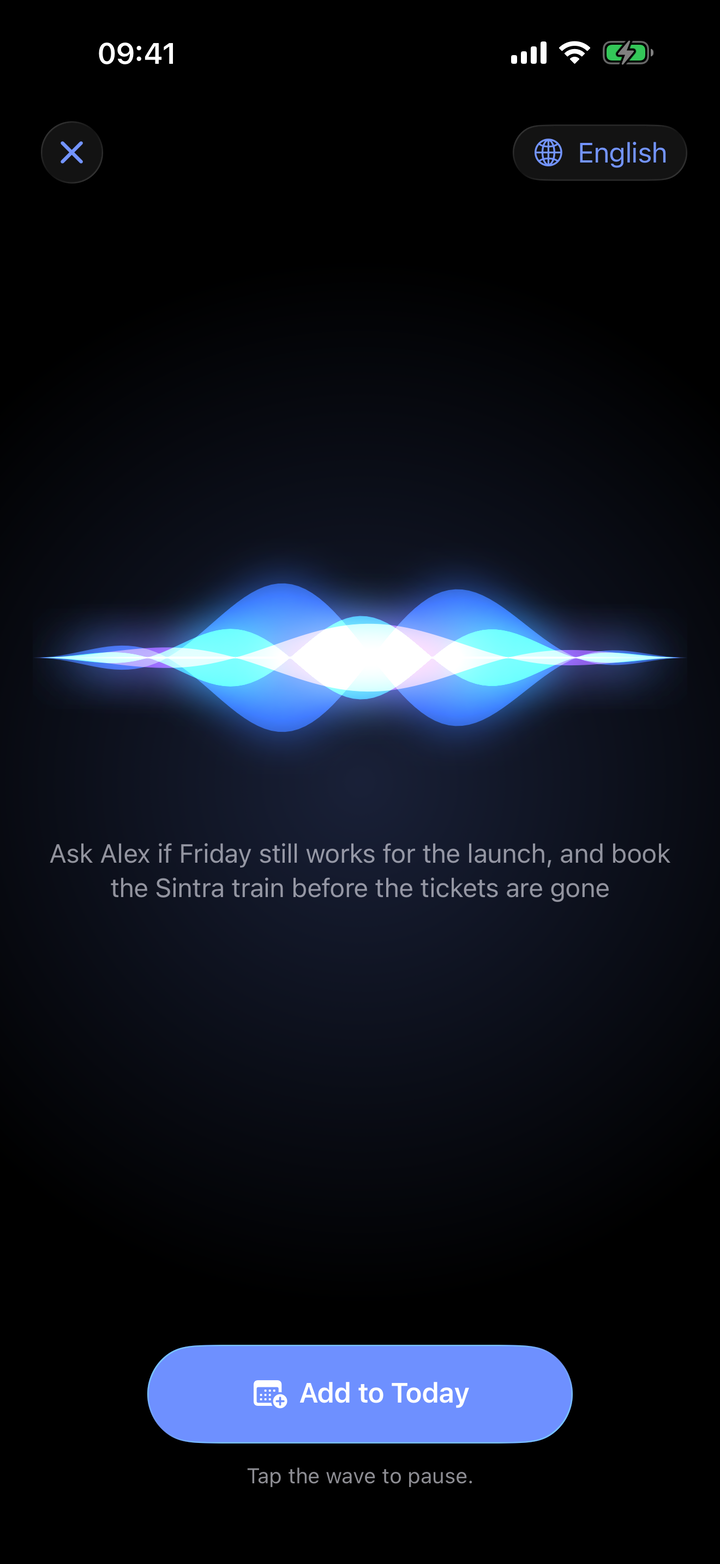
Press the Action button and speak. The words go into today’s note with the time, heard on the phone itself. On Apple Watch, tap Speak.

The listening screen: a wave, and the words heard

Tasks and reminders

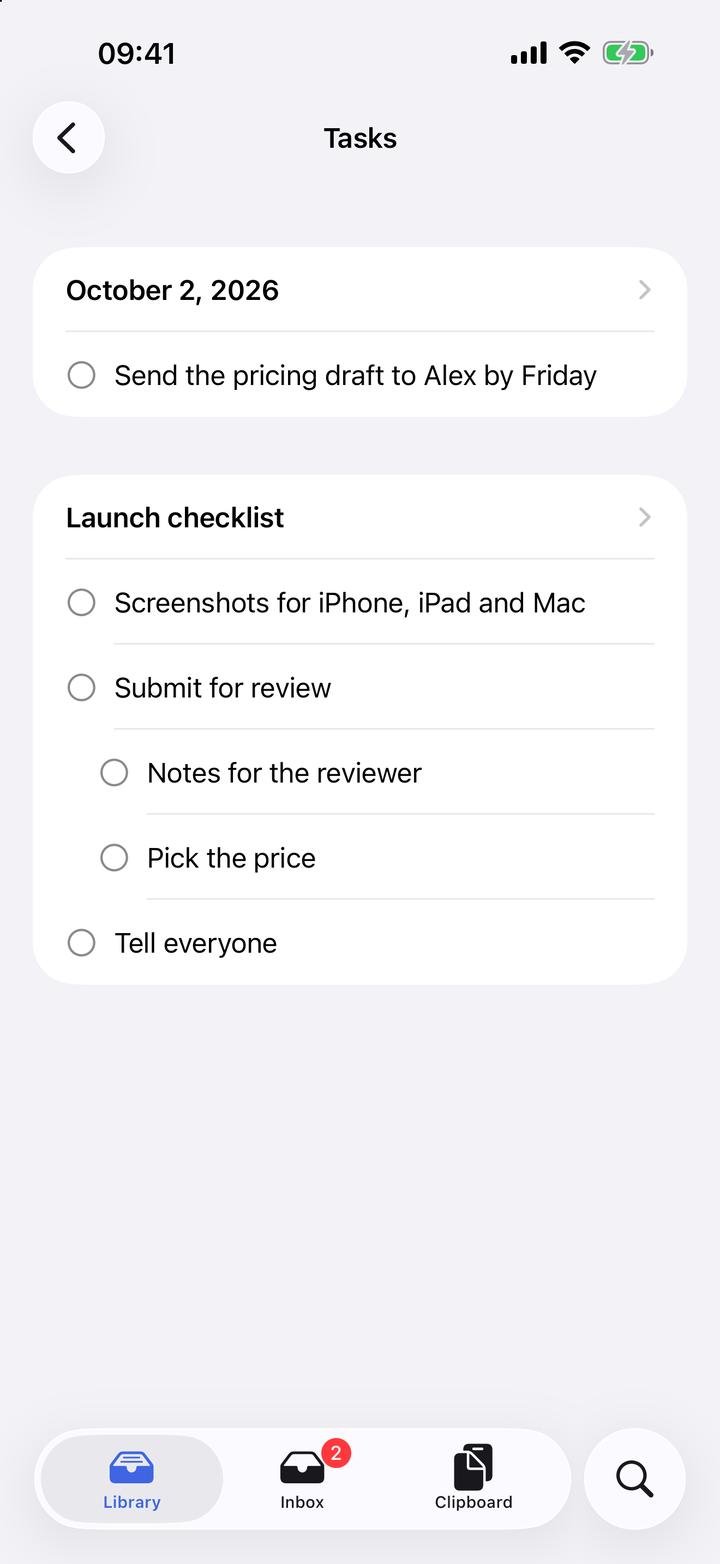
Every unticked box, in one list.

Checklists from all your notes gather under their folders. Tick one there and it is ticked in the note. Set a reminder on anything; it sounds on every device.

The Tasks list, each note under its folder

Private by design

It asks very little of you.

One purchase

For Mac, iPhone and iPad together. No subscription, nothing more to buy inside.

No account

Everything stays on your devices and in your own iCloud. There is nobody to sign in to.

No tracking, no ads

Chute collects nothing about you. Folder suggestions are made on your device.

Copy it, keep it, find it.

A clipboard manager and a quiet library for everything worth keeping.

Get Chute on the App Store

One purchase for both: Mac App Store · iPhone and iPad